 Overworld
Your party, live, on the bottom screen.
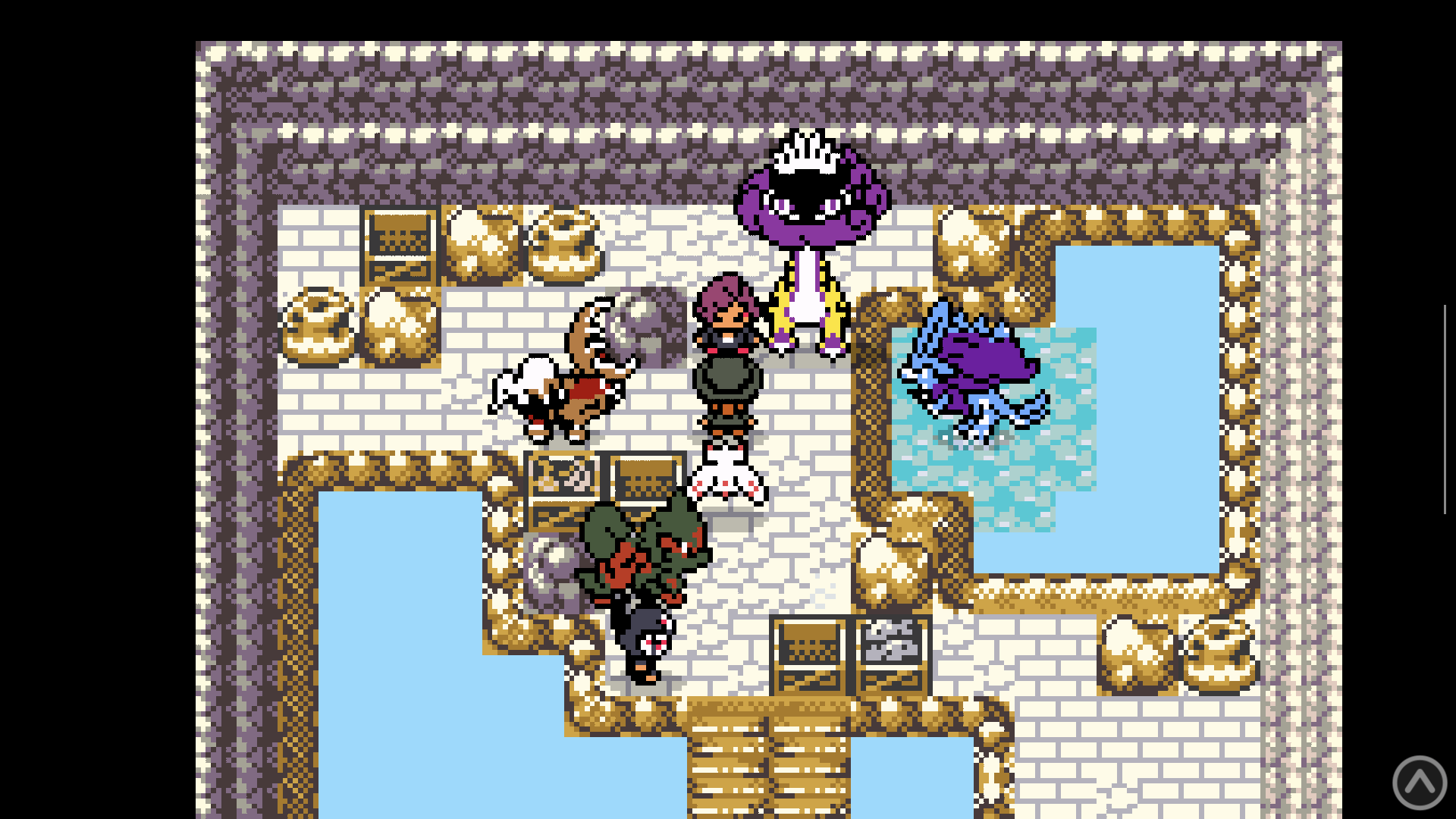
Play your GBA ROM hack in RetroArch up top. Overworld puts your party, the battle you're in, your moves and your stats on the Thor's bottom screen, and keeps up as you play.
Open this page on the Thor. Obtainium installs Overworld and keeps it up to date. Don't have Obtainium yet?
Free · Android 13+ (arm64) · No computer needed
Everything the game knows, none of the menu-diving.
Overworld reads the game's memory straight from RetroArch's mGBA core, so the bottom screen always matches what's happening up top. No notes to keep, and no pausing to dig through the summary screen.
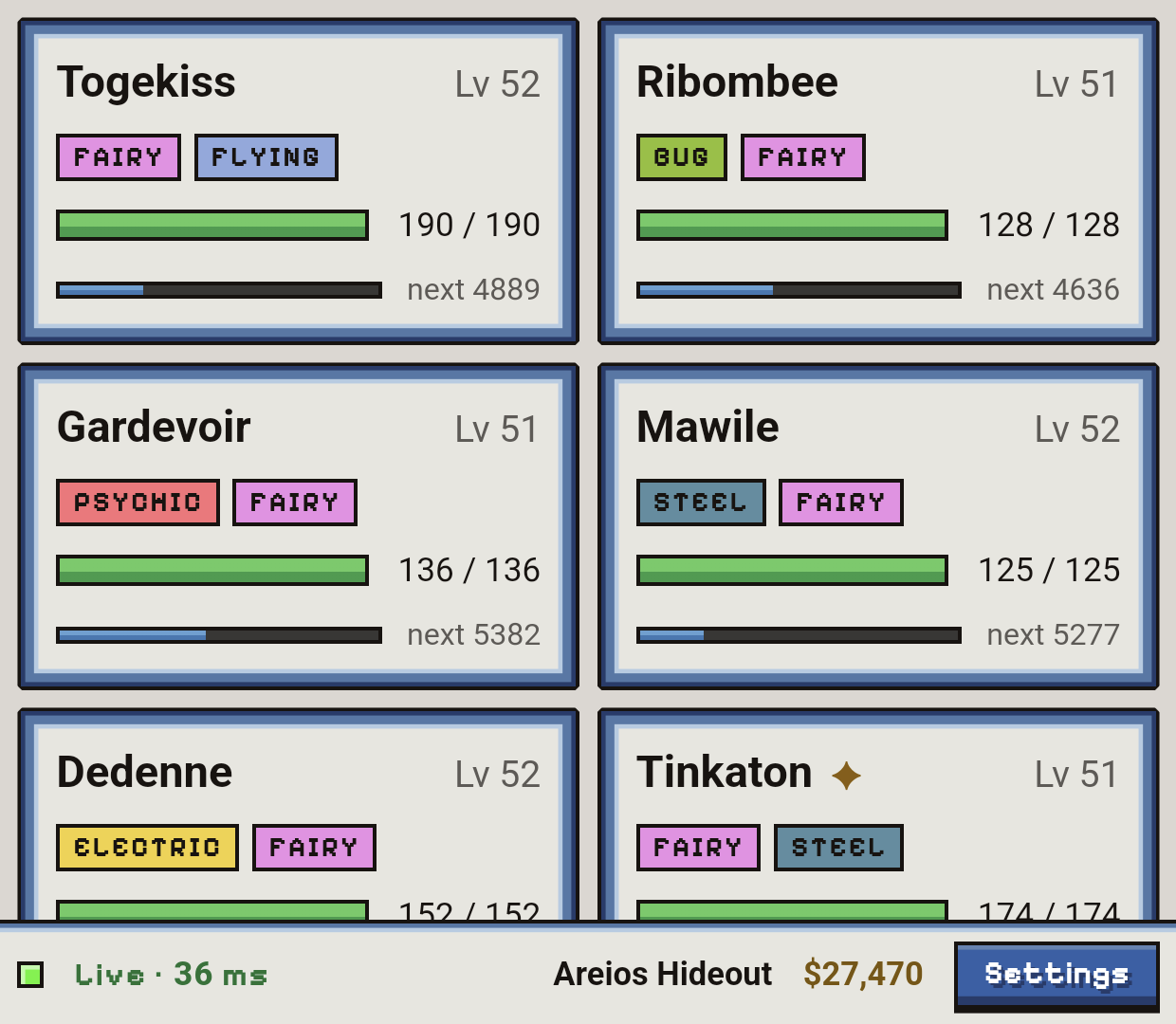
Your whole team at a glance
All six party members with level, types, HP and how much experience is left to the next level. Shinies get marked, naturally.
- HP bars shift green to yellow to red as damage lands
- Location and money along the bottom
- A live link status, so you know it's current
Know what you're up against
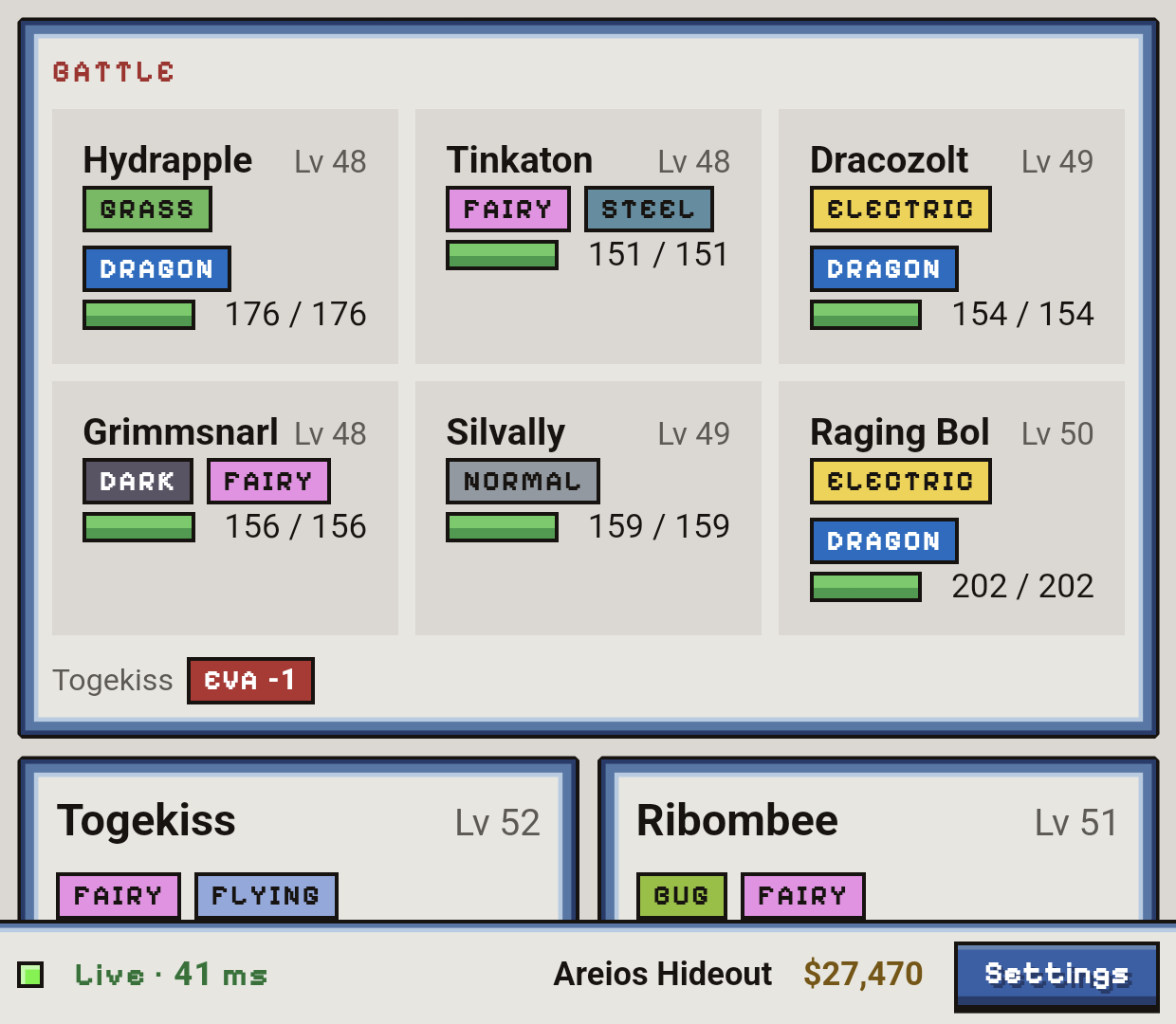
When a battle starts, the opposing side appears above your party: species, level, types and exact HP, for wild encounters and for every member of a trainer's team.
- Exact HP numbers, not just a bar
- Stat stage changes as they happen, like Atk +2 or Eva −1
- Back to your party the moment the battle ends
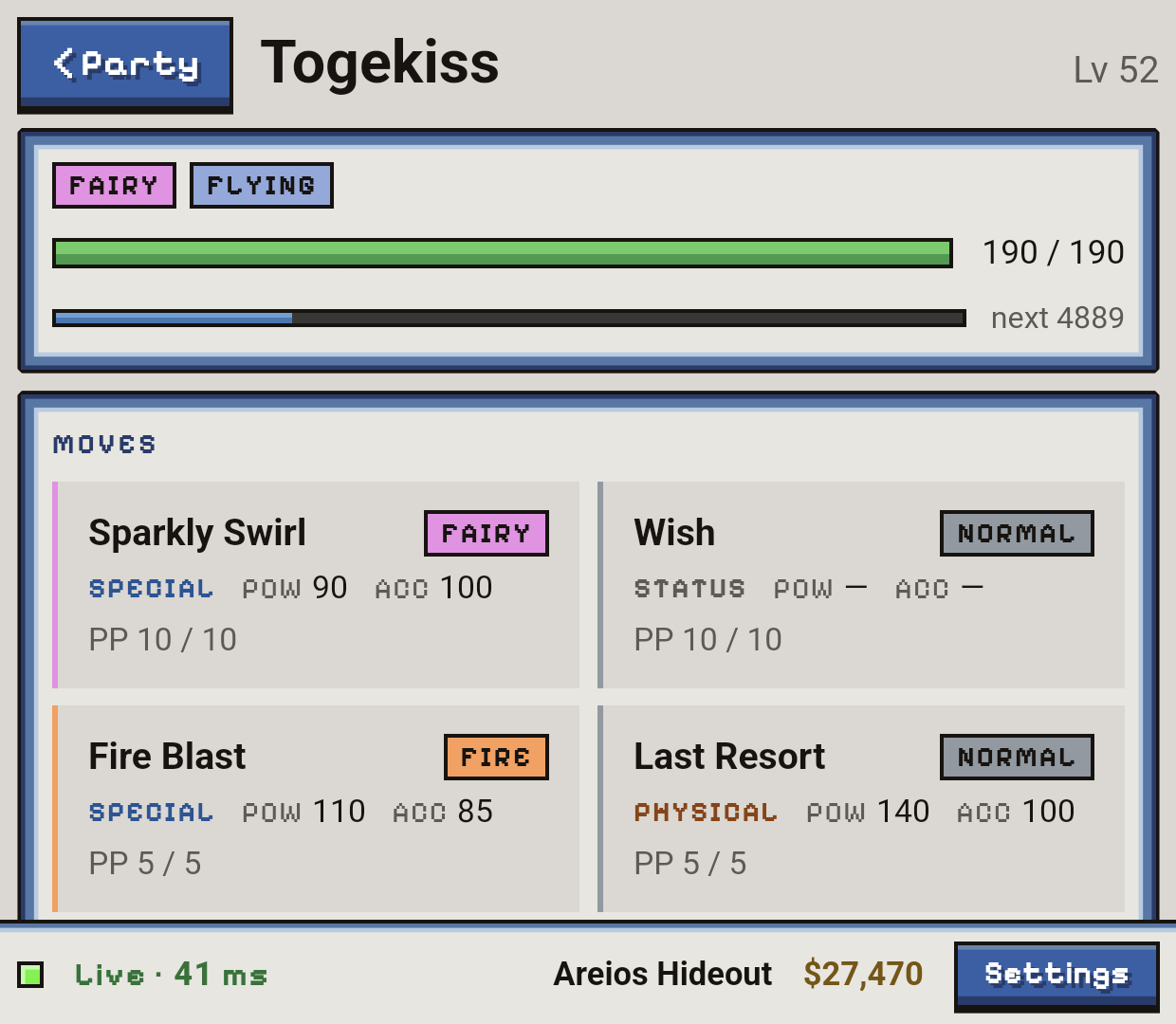
Every move, with the numbers
Tap a party member to see its four moves with type, category (physical, special or status), power, accuracy and PP left. The numbers come from your ROM, so a hack's rebalanced moves show their real values.
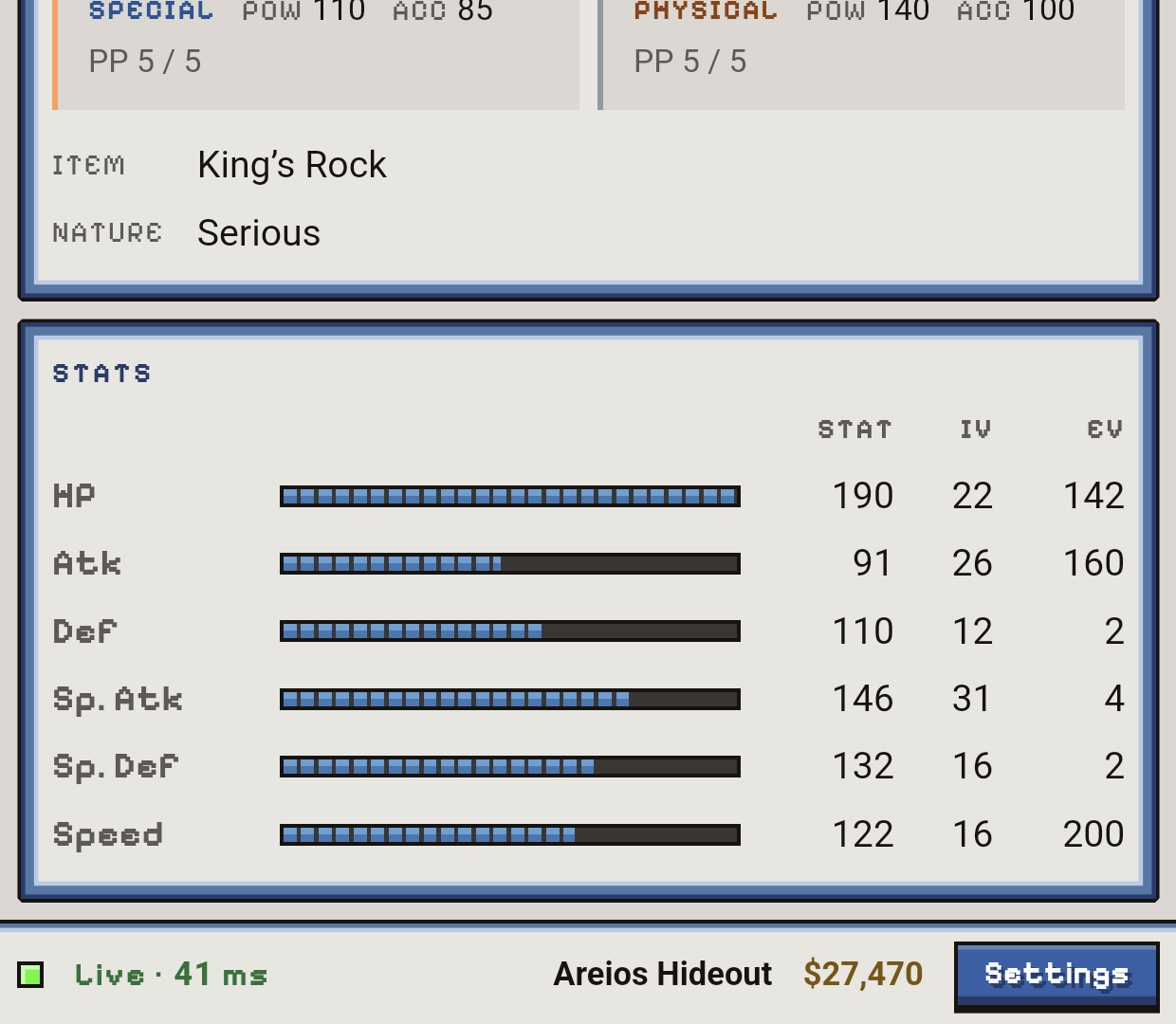
IVs and EVs, without a calculator
Held item, nature, and all six stats with their IVs and EVs side by side. See where your training is actually going.
Runs on the Thor itself
Start a game in RetroArch, open Overworld, and it fills the bottom screen. You don't need a computer or Wi-Fi.
Finds your game
Overworld picks up the ROM from RetroArch's history, checks which game it is, and pulls species, move and item names from your own copy.
Look, don't touch
Overworld never patches your ROM, edits your save, injects code or writes to memory. It reads, and that's it.
Keeps to itself
The only thing Overworld asks the internet is whether there's a new version, once a day, and you can switch that off. No account, no analytics, no ads. Nothing about you leaves the Thor.
Free to use. Pay only for the hacks you play.
Overworld is free, and vanilla Emerald works out of the box. Every ROM hack lays out its memory a little differently, so each one needs a game profile: a hand-made map that tells Overworld where to look.
| Game | Price |
|---|---|
| Emerald (US) | Free |
| Lazarus v2.0 | $9.99 |
| Emerald Seaglass 3.0 | $9.99 |
| Unbound v2.1.1.1 | $9.99 |
| Heart and Soul | $9.99 |
| Monomyth v1.1 | $9.99 |
| Every game (bundle) | $24.99 |
Three steps, about five minutes.
-
Set up RetroArch
Install a RetroArch nightly build (the Play Store build leaves out network commands) and turn on Settings → Network → Network Commands. Play with the mGBA core.
-
Install Overworld
On the Thor, tap Add to Obtainium and install from there. Obtainium keeps Overworld up to date for you. Rather not? Download the APK and open it. Android asks once to allow installs from that app.
-
Play
Start your game in RetroArch, then open Overworld. It finds your ROM and takes over the bottom screen.
New to Obtainium? It's a free app that installs apps straight from where they're published and keeps them current. Get Obtainium on the Thor first. Either way, Overworld also checks for a new version once a day and never installs anything without your tap.
Questions
Do I need an AYN Thor?
The Android app is built for the Thor's two screens and needs Android 13+ on an arm64 device. A desktop version, with an OBS overlay for streaming and a JSON/WebSocket API, is on the way.
Does Overworld include any games or ROMs?
No. You supply your own ROM and ROM hack. Overworld reads names and move data from your copy and never distributes game files.
Can it break my save?
No. Overworld only reads memory. It never writes to the emulator, patches the ROM or touches your save file.
Why does each hack need its own profile?
Every ROM hack moves things around in memory: different structures, different offsets, sometimes different encryption. A profile is the map for one specific release, worked out by hand and checked live against the running game before Overworld trusts it.
My hack isn't listed. Will it be supported?
Overworld supports Emerald-family GBA hacks. Ask in the Discord. Requests there decide which game we add next.
How do I get help?
Join the Overworld Discord or email support@greatdesktopapps.com.
Put your party on the bottom screen.
Free download. Vanilla Emerald included.